Free Desktop Utility
The better way to manage SharePoint and OneDrive files.
MungePoint File Manager is a free, local-first desktop app for Microsoft 365. Browse, search, move, copy, upload, and organize files across sites and libraries, all from one intuitive interface.
- 100% LocalNo SaaS tenant index
- No AccountDownload and use immediately
- Your DataStays with you. Always.
- Built ForSharePoint & OneDrive
Works with Microsoft 365
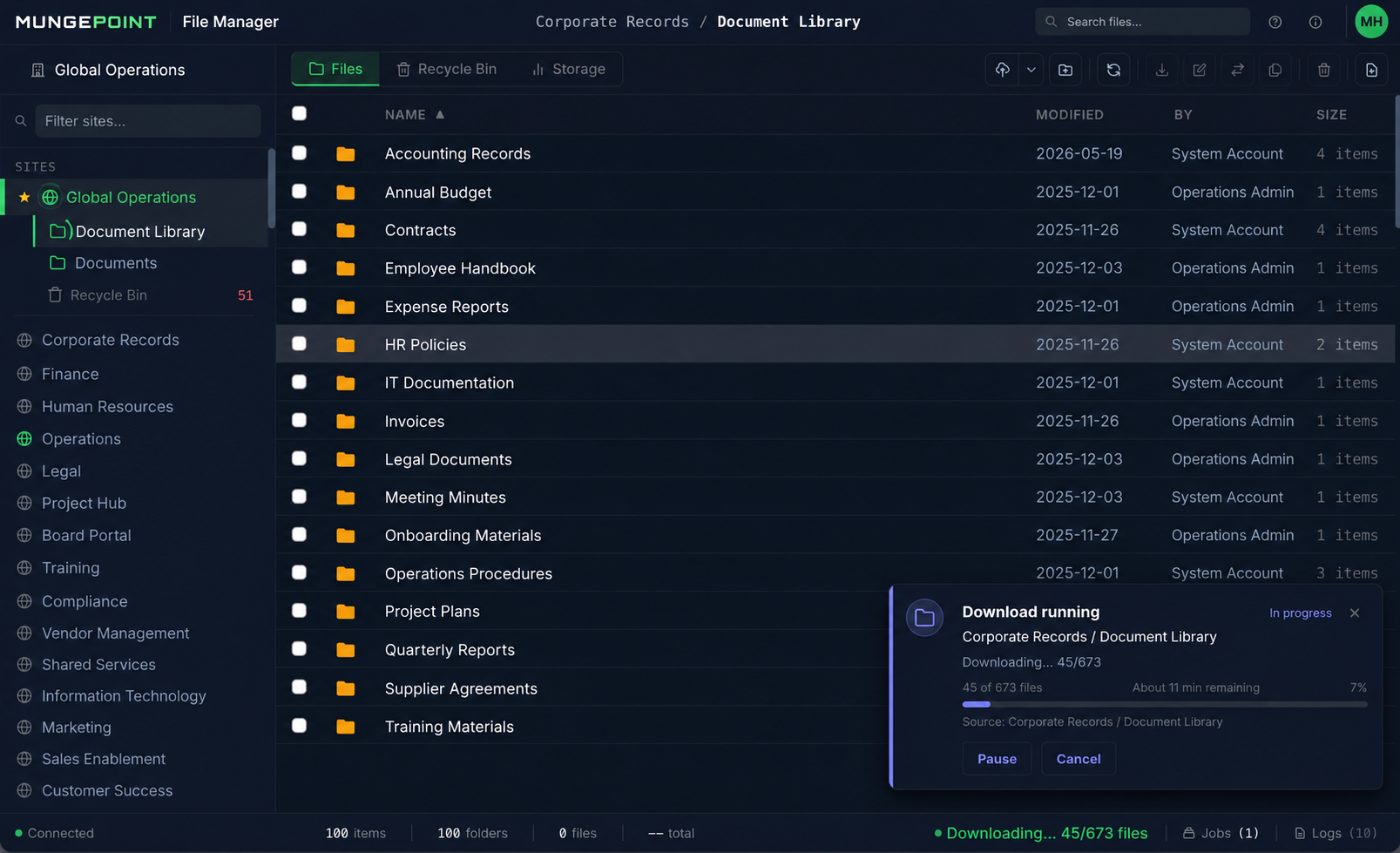
Everything you need. All in one place.
Powerful file operations across SharePoint and OneDrive: simple, fast, and local.
Browse & Navigate
Auto-detect sites and libraries. Drill down folders with ease.
Search & Inspect
Fast search across files, folders, and metadata, then inspect before you act.
Move & Copy
Move or copy files within a library, between libraries, or between sites.
Upload & Download
Push content up or pull it down in bulk, with full progress visibility.
Bulk Operations
Handle large jobs with queueing, retry, and logging for every action.
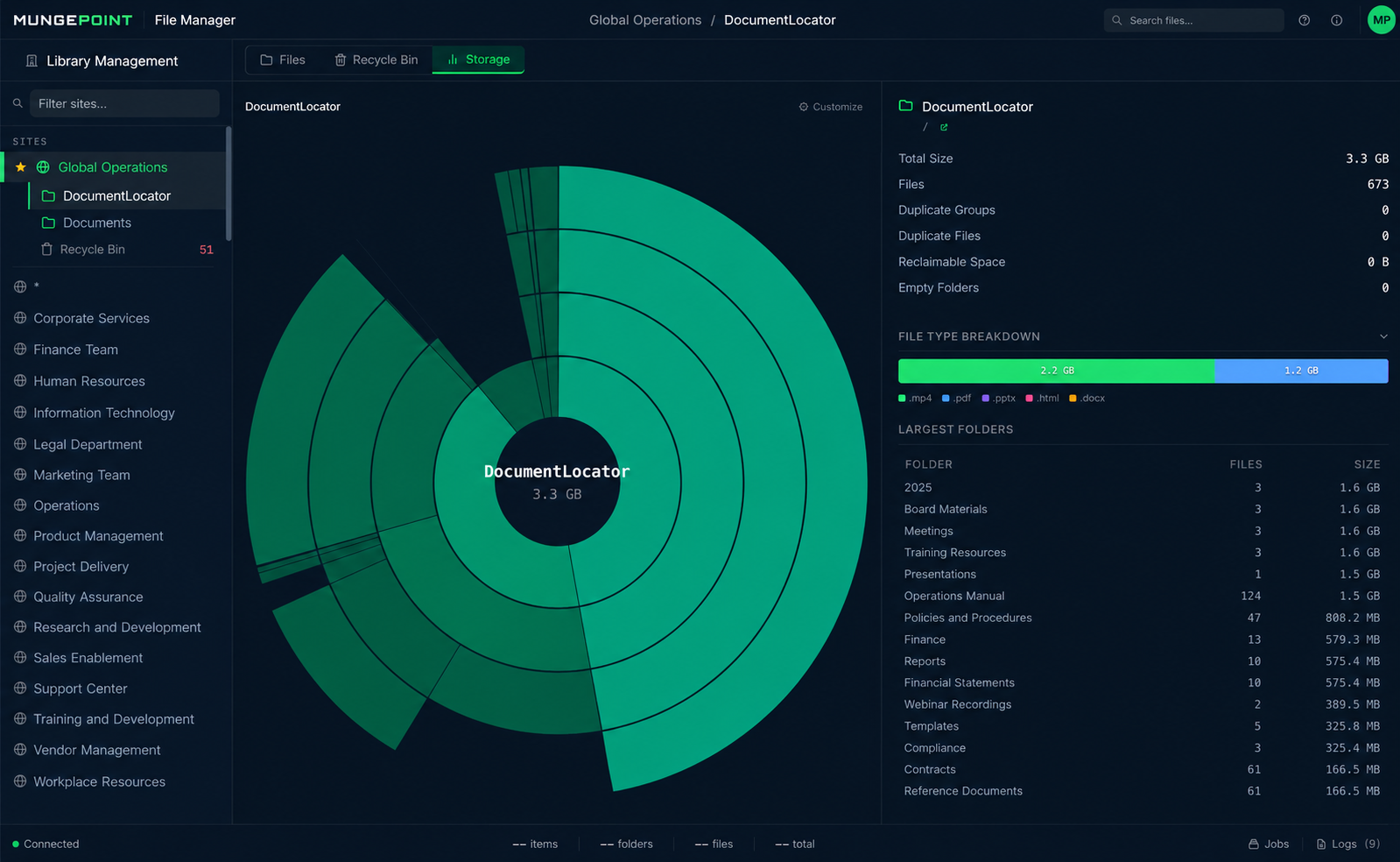
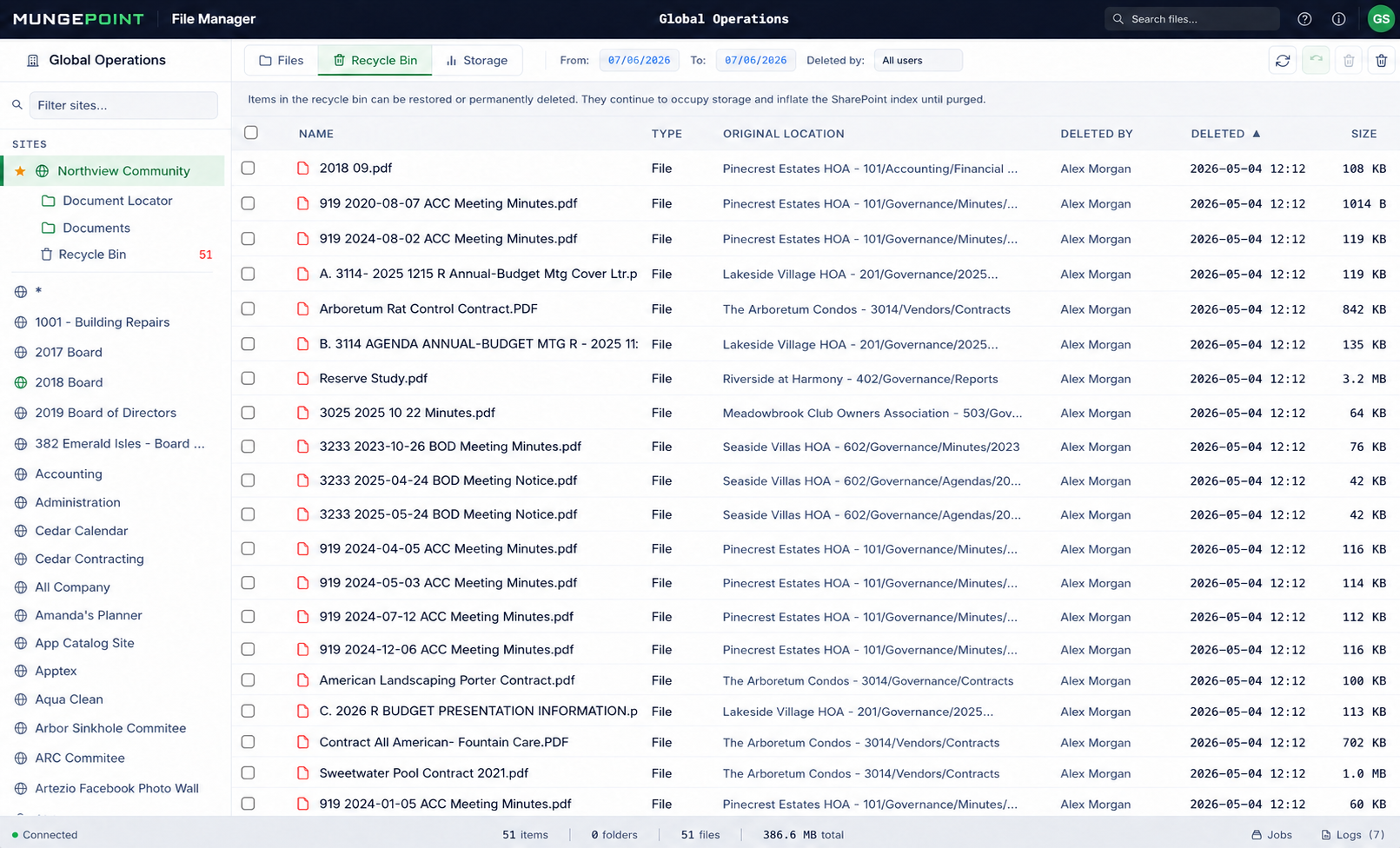
Storage & Restore
See storage usage at a glance and restore from the recycle bin in bulk.
Local-First by Design
Built for trust.
Designed for control.
MungePoint File Manager runs on your machine and talks directly to Microsoft Graph with your own credentials. There is no MungePoint cloud, no relay, and no SaaS copy of your tenant. We can't see your files. By design, not by policy.
- No SaaS tenant index
- No file contents collected
- No account required
- No cloud relay or proxy
- Local SQLite storage only
- Your permissions enforced
- MFA & Conditional Access compatible
- Update check is the only outbound call
Your Machine
App + local SQLite
Your Credentials
Delegated permissions
Microsoft Graph
Your tenant, your permissions
No MungePoint servers in the data path. Your data stays with you. Always.
Built for the people who manage Microsoft 365.
For admins, consultants, and power users who work in SharePoint every day.
SharePoint Admins
Manage content across sites and libraries with speed and confidence.
IT & M365 Admins
Save time on file operations and keep content organized and accessible.
Consultants & MSPs
Work across client tenants with nothing installed server-side and nothing left behind.
Power Users
Get more done with better tools for everyday file management.
Common questions
Is it really free?
Yes. MungePoint File Manager is a free product, not a trial. There is no account, no seat limit, no feature meter, and no expiration. Download it, use it, keep it.
What permissions does it need?
By default File Manager uses delegated permissions through your Entra ID account, so it can only see and act on content your account already has access to. An optional service-account mode instead uses application permissions that your administrator grants to your own app registration; administrators can disable it by policy. Browsing and searching need standard user access. Copy, move, upload, delete, and restore need the same write permissions you would need to do those actions manually in SharePoint. It runs no background agent in your tenant.
Where does my data go?
Nowhere. File Manager is a desktop application that runs entirely on your machine. Every API call goes directly from your desktop to Microsoft's Graph API and SharePoint endpoints. File listings, job history, and logs are stored in a local SQLite database on your machine. No file content, metadata, or tenant structure is ever transmitted to us. The only external call beyond Microsoft is an update check, which includes no tenant data.
Does it work with MFA and Conditional Access?
Yes. File Manager uses standard OAuth2 / MSAL authentication through Microsoft's identity platform, which fully supports Multi-Factor Authentication, Conditional Access policies, and session lifetime controls. You sign in the same way you do for any Microsoft 365 app. If your organization requires device compliance or location-based access, those policies apply to File Manager exactly as they do to Outlook or Teams.
Which platforms are supported?
Windows 10/11 (64-bit) today. If you want to be notified when additional platforms ship, email us and we'll let you know.
Do I need admin consent?
Browsing and file operations run under your own delegated permissions. Depending on your tenant's consent policies, first use in a tenant may require a one-time admin consent for the Microsoft-published Graph permissions the app requests, the same flow as any desktop app that talks to Microsoft 365.
Can consultants use it across client tenants?
Yes. Sign in with whatever account you hold in the tenant you're working in. Nothing is stored server-side, so switching tenants is just switching sign-ins. Each tenant's local cache lives in its own local database on your machine.
How is this different from a migration tool?
Migration suites are built for one-time, project-scale tenant moves. File Manager is built for the everyday work in between: finding things, moving a folder between sites, bulk uploads and downloads, cleaning up a library, restoring files from the recycle bin. It's the tool you keep open, not the one you rent for a project.

File Manager
Ready to simplify SharePoint file management?
Download MungePoint File Manager now, free forever.
Just download and go.
Coming later: content quality scoring for Copilot readiness. Get notified →